









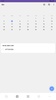
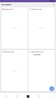




TimeCue is a personal productivity and organization app which you can use to create tasks, reminders, notes, and routines to keep your daily activities under control. The app includes a calendar to check upcoming tasks, recurring reminders, the ability to set priorities, habit tracking, a focus timer, and widgets to quickly access important information from the home screen.
Create tasks and reminders
TimeCue allows you to quickly log tasks and add notes to save any information about each activity. This means you can create reminders for appointments, payments, birthdays, household chores, personal goals, and other activities you want to keep front of mind. Reminders can be configured with different frequencies, including daily, weekly, monthly, or a custom frequency.
Organize your priorities
The app offers you the ability to classify tasks according to their level of urgency and importance. Thanks to these filters, you can separate activities that require immediate attention from other high-priority tasks or those that can be left for later, making it easier to organize your priorities and plan tasks.
Check your schedule on the calendar
TimeCue incorporates a calendar where you can check scheduled tasks and reminders. This view allows you to review scheduled activities across different periods and plan for what you have pending, offering an overview of your commitments and tasks without having to check each reminder separately.
My thoughts after trying TimeCue
After trying many apps of this style, this app was a pleasant surprise. The first thing I did after downloading it was create some tasks and reminders to see how they were organized within the app. I added activities for different days, and then I set up some recurring reminders to check out the repeat options. I also tried setting different priority levels to see if I could quickly distinguish the most urgent tasks from those that could wait a bit longer. Then I switched to the calendar view to check out how all the scheduled activities were displayed to get an overview of everything pending. Everything worked perfectly and was very easy to manage, so I can confirm that TimeCue is a very handy tool for organizing your tasks or reminders in a complete and visually appealing way.
The best and worst of TimeCue
• What I liked most is that it has everything you need to manage your daily habits, reminders, or routines in great detail.
• What I liked least is that the number of features can make the app more comprehensive than is really necessary for anyone looking for just a simple reminder app.
Download the free TimeCue APK to organize your tasks, create recurring reminders, manage your priorities, track your habits, and dedicate time to your activities through focus sessions.
TimeCue is for you if
✓ You want one place to manage tasks, recurring reminders, notes, routines, and daily commitments
✓ You prioritize clear organization of urgent versus important tasks with a calendar overview of commitments
✓ You value habit tracking, focus sessions, and home-screen widgets to stay consistent and motivated
Requirements (Latest version)
- Android 8.0 or higher required
 The app must be installed from the Google Play Store for the first time to work correctly. After that, you can update it using the APK or XAPK files.






















Comments
There are no opinions about TimeCue yet. Be the first! Comment